How the eufyMake E1 Brings Custom 3D-Texture UV Printing In-House for Small Businesses, Schools, and Creators
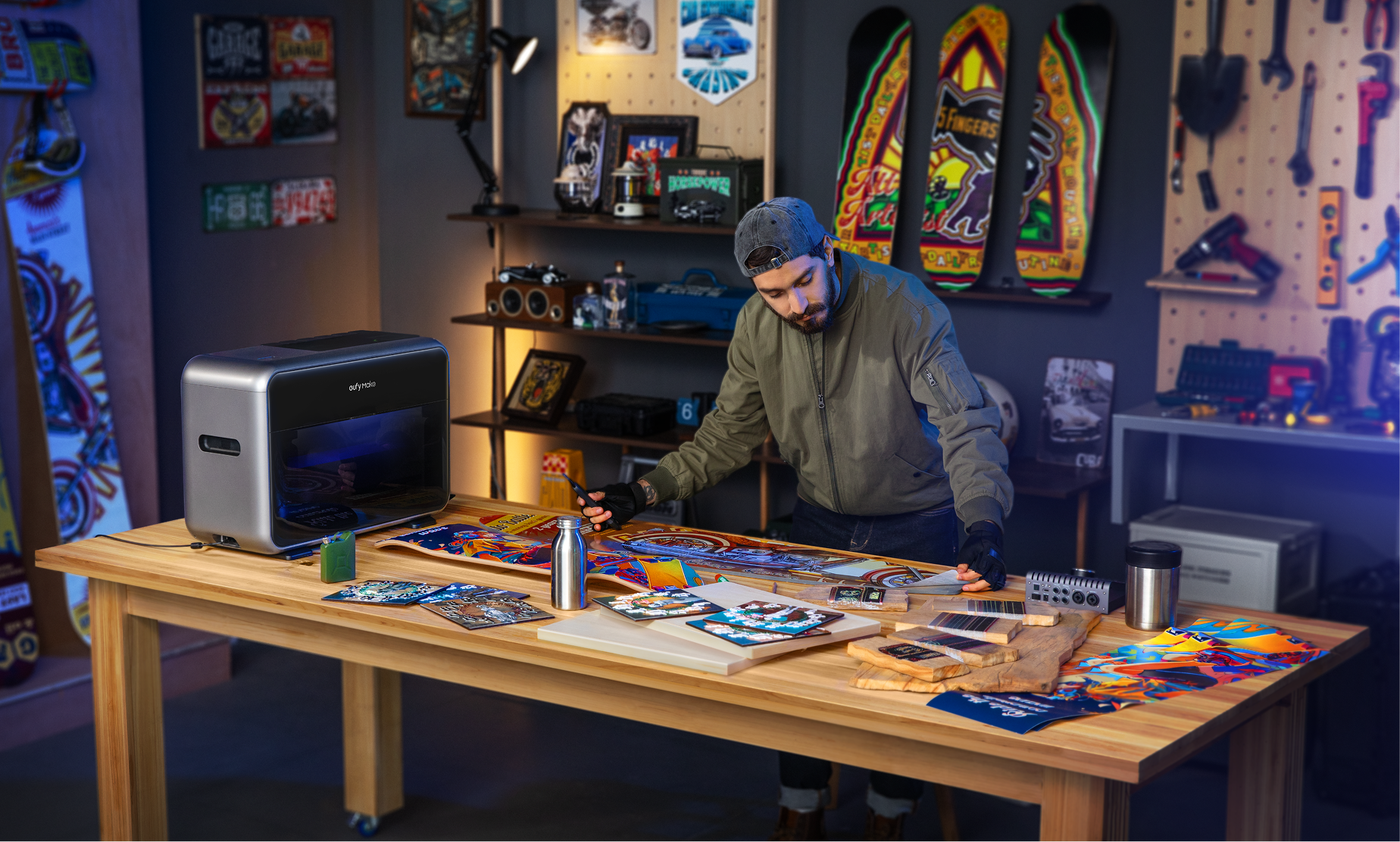
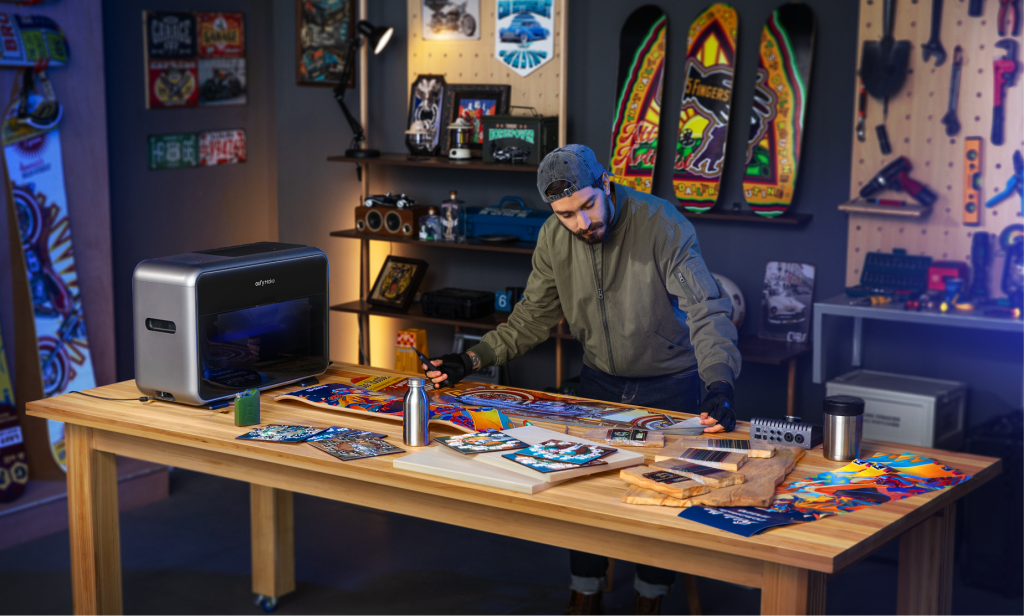
The eufyMake E1 is a compact desktop UV printer that lets you produce full-color, custom-printed products with raised 3D texture on your own table, without sending work to an outside shop. It prints on more than 300 materials, builds tactile texture up to 5 mm high, and is small enough to sit on a classroom bench, a CTE lab table, or a studio desk. It arrived as the most-funded Kickstarter campaign in history and went on to earn a place on TIME’s Best Inventions of 2025. We carry it because it answers a question we hear constantly from schools, CTE programs, small businesses, and makers across the US: how do I make my own custom products without the cost and wait of outsourcing?
Key takeaways
- The eufyMake E1 is a compact desktop UV printer that prints full color plus raised 3D texture up to 5 mm on 300+ materials.
- Producing in-house removes outsourcing, minimum order quantities, and the heat-press step, so a finished custom piece can be ready in minutes.
- UV light cures the ink on contact, which is how it bonds to metal, glass, wood, acrylic, and leather that ordinary inkjet ink cannot hold.
- GREENGUARD Gold certification applies to the E1’s ink emissions only, not the whole machine, which matters when you buy for a school or CTE lab.
- Ink and maintenance are a genuine recurring cost. One daily-use owner reported close to $54 a month, so plan past the machine price.
- To confirm current pricing, tax-exempt and PO options, and the right attachment bundle for your goals, request a quote from our team before you buy.
Why bring custom printing in-house?
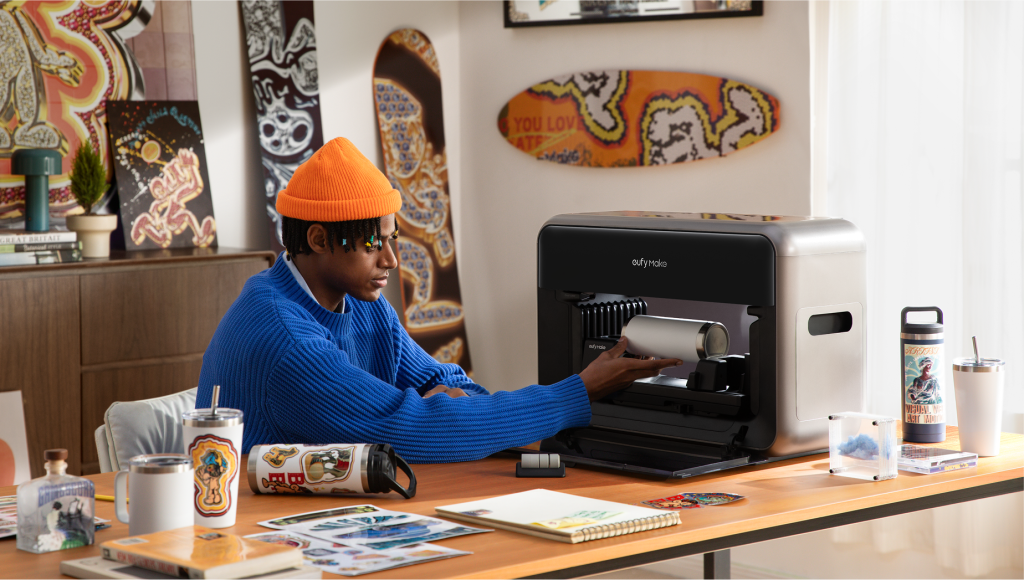
Bringing custom printing in-house means you control what gets made, how it looks, and when it ships, instead of depending on a third-party printer’s minimums and schedule. For most of the people we work with, that control is the whole point.
When you outsource a personalized product, you usually give up margin to the shop doing the printing, and you hand over control of the schedule and the final quality. Owning the machine keeps all of that in your hands. You decide what gets made and when, you keep the markup, and you can adjust a design between one print and the next without a new order or a new conversation.
That control changes what is possible for a small operation. A shop can offer a textured, premium-looking product and keep the margin that texture commands. A school or CTE program can run the work itself instead of building a purchase order around an outside vendor. An Etsy seller can treat every order as its own design. The day-to-day mechanics of working this way, from minimums to turnaround times, are covered further down in the section on small-batch production.
What is the eufyMake E1, and what makes it a “personal” UV printer?
The eufyMake E1 is a desktop flatbed UV printer built for individuals and small teams rather than for industrial production lines. It is made by eufyMake, the creative-tools brand of Anker Innovations, the consumer-electronics company. The brand was formerly known as AnkerMake.
The word “personal” matters here. Until recently, UV printing lived in commercial print shops because the machines were large, expensive, and demanding to maintain. eufyMake positions the E1 as the first personal 3D-texture UV printer, and TIME noted in its 2025 writeup that it is roughly 90% smaller than traditional industrial UV machines. That size is what moves the technology out of the factory and onto a desk, a craft table, or a makerspace bench.
How does UV printing work?
A UV printer uses ultraviolet light to cure, meaning instantly dry and harden, a special ink at the moment it is laid onto a surface. Because the ink sets on contact instead of soaking in and air-drying, it can bond to materials that conventional inkjet or laser inks struggle with.
Two things follow from that, and both matter when you are deciding whether the technology fits your work. The first is material range. Curing on contact is what makes it practical to print on metal, glass, acrylic, wood, stone, and leather using one machine. The second is durability. UV-cured ink resists fading, scratching, and weather, which is why it suits products that get handled often or live outdoors, such as signage and drinkware.
The four types of UV printers, and where the E1 fits
UV printers generally fall into four categories. Knowing them helps explain why the E1 can do several jobs that would normally need separate machines.
|
Type |
What it does |
Best for |
|
Flatbed |
A print head passes over rigid items placed on a flat bed |
Flat, rigid objects such as wood, glass, and metal |
|
Rotary |
Spins round objects under the head |
Drinkware, bottles, mugs, and other cylinders |
|
UV DTF |
Prints onto a special film for transfer |
Textured or uneven surfaces, stickers, and decals |
|
Roll-to-roll |
Feeds flexible media from a roll and prints continuously |
Long runs of banners, stickers, and flexible media |
The E1 is fundamentally a flatbed printer. What sets it apart is that its add-on attachments let the same base machine also handle rotary and UV DTF or roll-to-film work, so it spans several of these categories in one unit.
What can the eufyMake E1 print on?
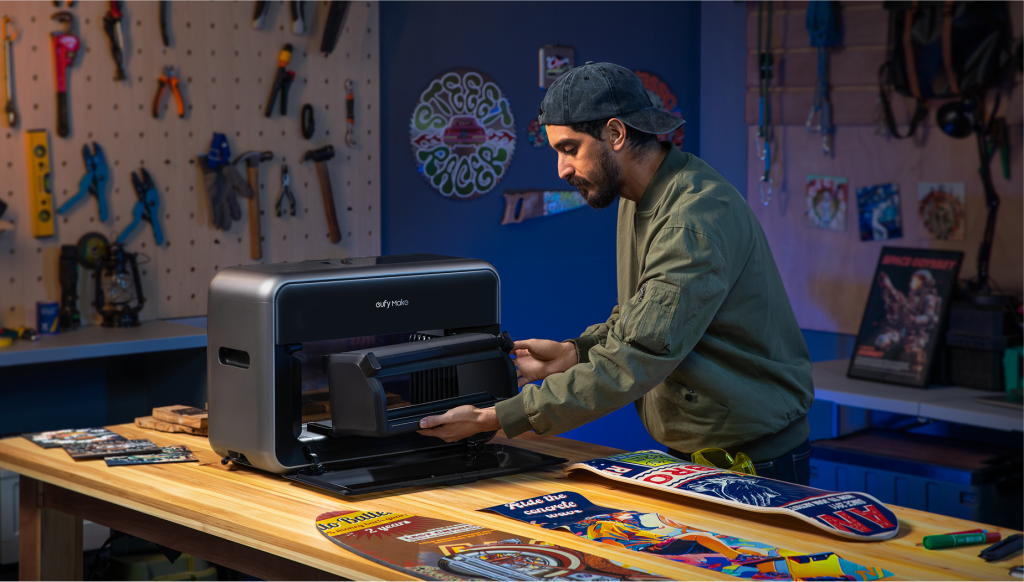
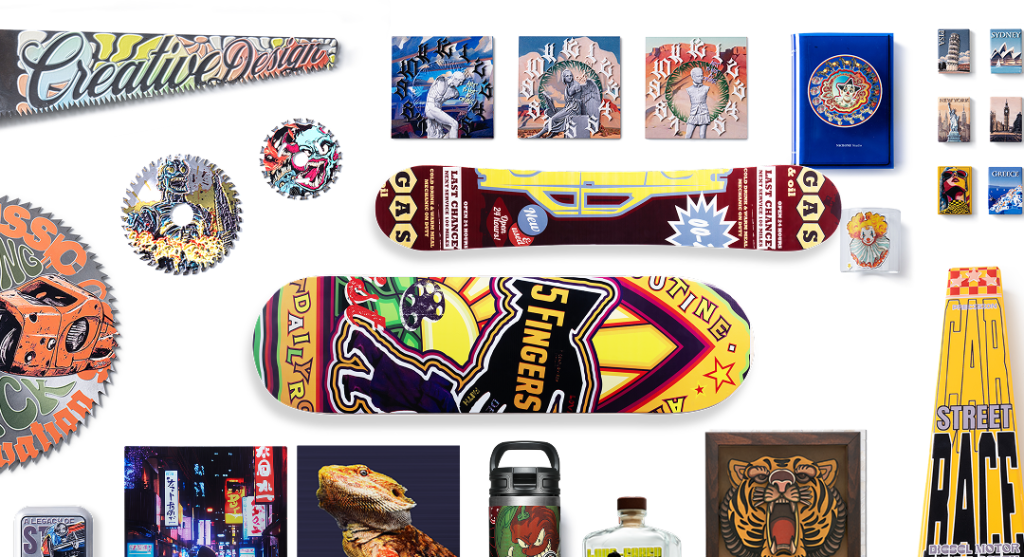
The E1 prints on more than 300 materials, including metal, wood, acrylic, ceramic, stone, glass, canvas, leather, fabric, and film, on both flat and curved surfaces. That range is the direct result of the UV curing process described above.
In practice this opens up a long list of everyday products: wooden plaques and signs, acrylic awards, glass and metal drinkware, ceramic tiles, leather goods, canvas bags, phone cases, and promotional items of almost any kind. Fabric works with the flexible white ink option, which lets the print flex without cracking on soft surfaces like canvas totes. There is one important exception covered later in the limitations section, so it is worth reading that before you plan any garment work.
What is 3D-texture printing, and why does it matter?
3D-texture printing means the E1 can build raised, physically tactile texture on a surface, not just flat color. Using a system eufyMake calls Amass3D, the printer layers ink as it cures to create relief up to 5 mm high. You can feel the result with your fingers.
That capability is the clearest reason to choose this machine over a flat printer. It lets you produce embossed lettering, faux leather grain, simulated stone, raised brushstroke effects that mimic a painting, and coin-style relief. For anyone selling a product, texture is also a margin opportunity. A textured version of an item looks and feels more premium than a flat-printed one, and eufyMake notes it can command a higher retail price for the same base object. For a school, raised lettering has a practical use too, since it supports tactile and accessible signage.
Key features and specifications
Here are the verified specifications from eufyMake’s product documentation, followed by a closer look at the features that affect day-to-day results.
|
Specification |
Detail |
|
Printer type |
Piezo inkjet |
|
Resolution |
Up to 1440 DPI |
|
3D texture height |
Up to 5 mm raised texture |
|
Max print area (flatbed) |
Up to 330 x 420 mm (roughly A3, about 13 x 16.5 in) |
|
Roll-to-film max length |
Up to 10 m (about 33 ft) |
|
Ink configuration |
CMYK + White + Gloss, plus a JetClean maintenance cartridge |
|
Dimensions |
590 (W) x 250 (D) x 407 (H) mm |
|
Weight |
20 kg (44 lb); about 23 kg (51 lb) packaged |
|
Power input |
100-240V, 50-60Hz |
|
Connectivity |
Wi-Fi and USB; app for iOS, Android, Windows, and macOS |
|
Templates |
20,000+ customizable templates, free commercial use for pro users |
Print quality, color, and finish
The E1 prints with CMYK plus White and Gloss ink at up to 1440 DPI, using a color system eufyMake calls ColorMaestro for accurate tone. The white ink does two jobs. It lays down a base layer so colors stay vivid on dark or transparent materials, and it acts as the builder for 3D texture. The gloss ink adds varnish and finish effects on top.
Print sizes, modes, and automatic positioning
The flatbed handles items up to 330 by 420 mm, roughly A3, with a mini flatbed mode for smaller pieces. With attachments it adds rotary printing for cylinders and roll-to-film work up to 10 meters. Setup is largely automatic. Dual lasers and an 8MP snapshot camera measure an object’s height and contours on their own, including on transparent materials, so you are not fiddling with manual alignment. The E1 also uses an angled lamp to cut down on UV light reflecting back into the print head, which is the failure mode that clogs many UV printers when they work on shiny surfaces like mirrors.
The modular system: rotary, UV DTF, and roll-to-film attachments
The E1’s biggest practical advantage is that one base machine grows with you. Instead of buying separate single-purpose printers, you add attachments as your needs expand.
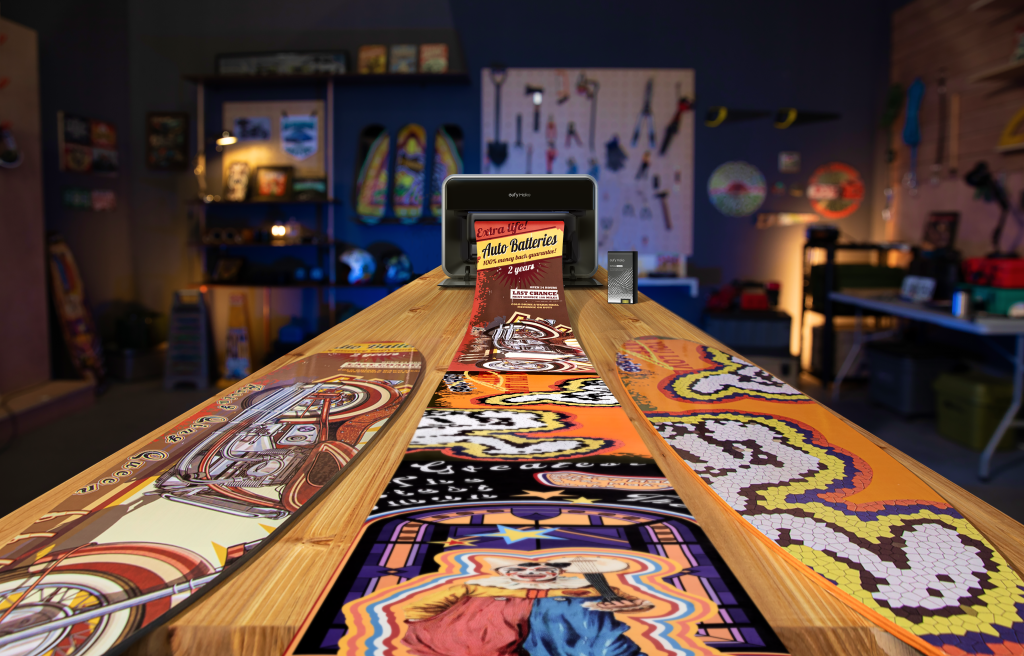
The rotary attachment lets you print directly onto cylinders, cones, and mugs, which opens up drinkware and bottle personalization. The UV DTF laminating attachment lets you make your own transfer stickers and decals for textured or uneven surfaces. The roll-to-film attachment handles longer continuous runs for sticker batches, posters, and signs. Together they let the same printer cover flat goods, curved goods, stickers, and longer runs. We offer the E1 as a base machine and in bundles that add the rotary and roll-to-film attachments, so ask us which configuration fits the work you have in mind.
Who is the eufyMake E1 for? Real-world uses by audience
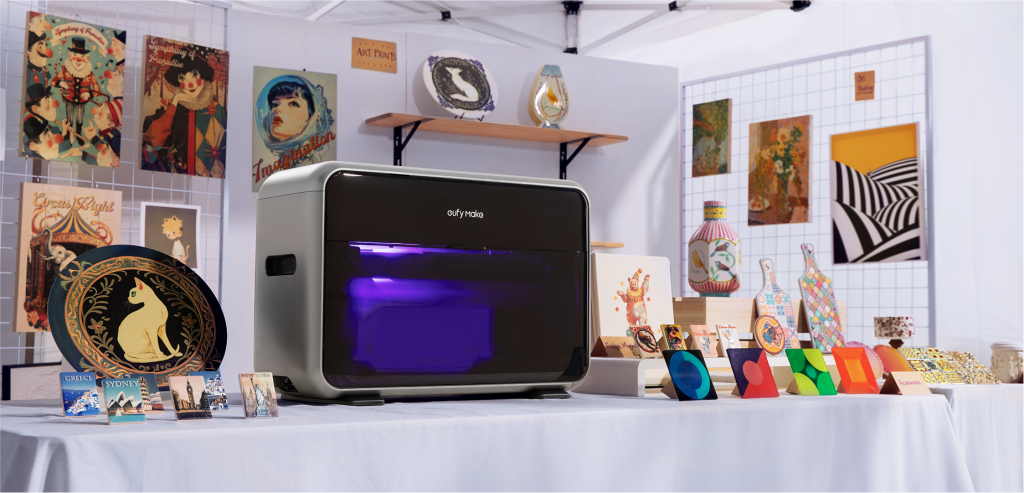
The E1 suits anyone who wants to make custom products themselves rather than buy them in bulk. Here is what that looks like for the groups we work with most.
Small businesses, print shops, and promotional-product companies
For a shop, the E1 brings production in-house so you can print direct to an object without outsourcing or a separate heat-press step. You add a margin layer by offering textured versions of items, and one compact unit lets you expand your product menu across flat goods, drinkware, and stickers without buying three machines. Because it folds down to roughly carry-on size, it also travels well to trade shows, craft fairs, and pop-up markets where on-the-spot personalization sells.
Schools, CTE programs, STEAM labs, and makerspaces
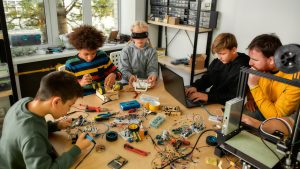
In a learning setting, students can operate the E1 under staff supervision to produce room signs, donor plaques, trophies, spirit-week merchandise, science-fair displays, and graduation panels. It fits naturally into Career and Technical Education, where the goal is job-ready, hands-on skill building. A CTE or entrepreneurship class can design, produce, price, and sell real merchandise with real margins, which turns the engineering design process into a finished product students can hold. Because there are no minimum orders and no multi-week lead times, products can be made the week of an event rather than ordered six weeks ahead. One note for buyers: the GREENGUARD Gold point in the safety section below is especially relevant for classrooms and labs, so please read how that certification is scoped.
Designers, makers, artists, and Etsy sellers
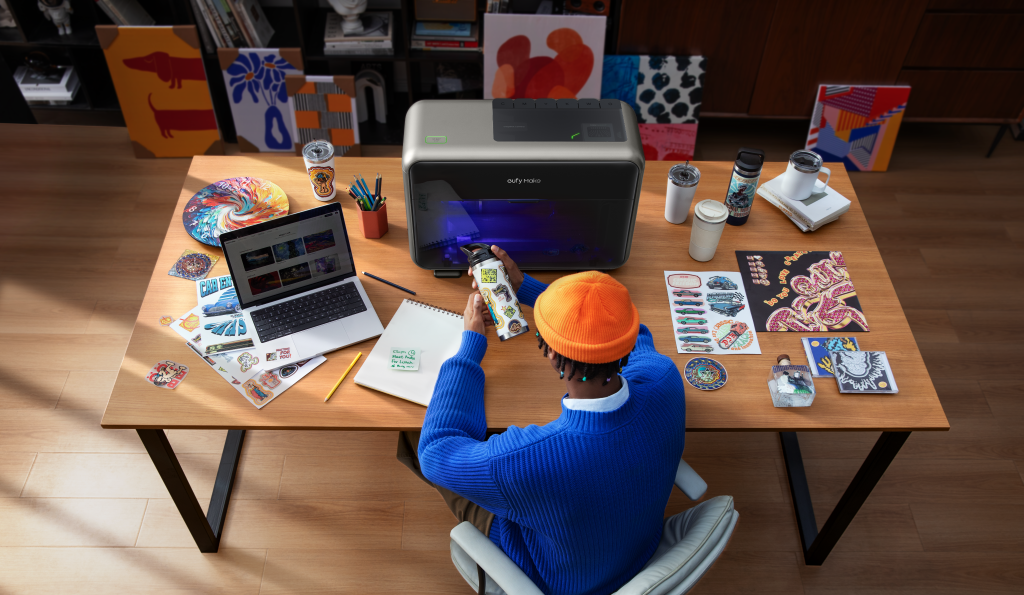
For independent creators, the appeal is accurate direct-to-product color and the texture work. Several owners describe finally escaping the color-matching frustrations of sublimation and heat-press workflows. On the art side, the 3D texture can mimic brushstrokes, oil-painting relief, leather, and stone for decor and fine-art pieces. The built-in AI design tools and the library of commercial-use templates lower the barrier for sellers who are not trained designers.
Organizations, studios, and personalization businesses
For organizations, the value is unit-level personalization without retooling. You can produce branded merchandise, internal and event signage, member or donor recognition items, and individually customized pieces on demand, each with its own name, logo, or artwork. That flexibility suits any group that needs small quantities of distinct items rather than a single large batch.
How the E1 supports on-demand, small-batch production
The E1 shifts custom production from a bulk-order, slow-turnaround model to a responsive one where you print to actual demand. This is the single biggest change in how it lets you work, and it is worth spelling out concretely.
|
The old way (bulk outsourcing) |
With the E1 in-house |
|
Minimum order quantities set by a supplier |
Print a single unit or a short run, no minimums |
|
Days or weeks of turnaround time |
A finished piece in minutes, with about 30 seconds of curing after a print pass on suitable items |
|
Order weeks ahead of an event |
Produce goods the week they are needed |
|
Hold unsold stock and absorb the risk |
Print to demand and reduce inventory risk |
|
Identical items across the whole batch |
Personalize each item individually without retooling |
For a fundraiser, a product launch, a graduation, or a craft fair, that responsiveness is the difference between guessing at quantities months out and making what people actually want in the moment.
What does the eufyMake E1 cost to own?
There are two costs to plan for: the machine itself and the ongoing ink and maintenance. Pricing also shifts with promotions, so treat any single figure you see as a snapshot rather than a fixed price.
Bundles and accessories
eufyMake sells the E1 in several bundle configurations, from a Basic bundle through bundles that add the rotary attachment and the UV DTF and roll-to-film attachments, with the difference being the included inks, attachments, and printing capacity. From there you add consumables such as ink and cleaning cartridges and material kits as you need them. Because these prices move with sales, the most reliable way to get a current number, along with tax-exempt and purchase order options for schools and organizations, is to ask us for a quote rather than rely on a figure that may already be out of date.
The real running cost: ink and maintenance
UV printers are maintenance-intensive by nature, and the E1 is no exception. One detailed owner review on the official product page estimated roughly $54 a month in ink and maintenance cost under daily-use conditions, covering deep cleaning and pre-print priming. That same review noted the figure drops with less frequent printing and with buying ink in bulk or on subscription. The JetClean self-cleaning system reduces upkeep by automatically moisturizing and cleaning the print head, but it lowers the workload rather than removing it. We would rather you budget for this honestly up front than be surprised by it later.
Is the eufyMake E1 safe and eco-certified? Understanding GREENGUARD Gold
The E1’s ink carries GREENGUARD Gold certification for low chemical emissions. The important detail, and one we want to be precise about, is that this certification covers the ink’s emissions only, not the entire machine. We will never tell you the printer itself is GREENGUARD certified, because that would not be accurate.
GREENGUARD Gold is the stricter of UL’s two main certification tiers, with lower emission limits and health-based criteria. UL specifically positions the Gold tier as suited to sensitive indoor spaces such as schools, healthcare facilities, nurseries, and homes, and certified products are tested in controlled chambers and re-tested every year. That is why the ink’s certification is worth knowing about for a classroom or lab purchase.
Separately from the ink certification, the machine itself includes safety design features. It has an air-filtration system to reduce odors and emissions, and a UV-isolation enclosure that the manufacturer states blocks more than 90% of UV light. Those are machine design features. The GREENGUARD Gold certification is about the ink. Keeping the two separate is the accurate way to describe it.
Honest limitations to know before you buy
No tool is right for everything, and we would rather you know the boundaries before you order.
It is not a garment printer. UV ink, whether standard or flexible, is not suited to direct printing on T-shirts or traditional fabric DTF work. For garments, eufyMake recommends traditional DTF (Direct-To-Film) or screen printing, since UV DTF transfers are designed mainly for hard surfaces. The E1 can still handle certain soft or textured materials, such as canvas bags and faux leather, especially when fitted with the Flexible White Ink, which lets the print flex without cracking.
Ink and maintenance are an ongoing cost. As covered above, the machine price is not the whole picture. Factor in consumables.
Reflective surfaces are improved, not fully solved. The angled lamp reduces the clogging that shiny materials can cause, but we would not promise it is eliminated for every mirror-like surface.
Prices and bundle contents change. Pricing moves with promotions and bundle contents vary, so confirm current details and what is included with us before you order.
Why the eufyMake E1 stands out: awards and credibility
The E1 arrived with a strong track record behind it. It launched on Kickstarter in 2025 and became the most-funded campaign in the platform’s history, raising about $46.8 million from 17,822 backers against a $500,000 goal. TIME named it to its Best Inventions of 2025 list in the Robotics category under the headline “Printing Textures at Home.” Popular Science included it in its 50 Greatest Innovations of 2025 in the Gadgets category, and the E1 also earned a 2025 iF Design Award. For buyers weighing vendor stability, it helps to know the machine is backed by Anker Innovations, an established consumer-electronics company.
Buying the eufyMake E1 in the US through iDESIGN Solutions
We carry the eufyMake E1 at iDESIGN Solutions for customers across the United States. We are an authorized reseller and support partner for eufyMake, not the manufacturer, which means our job is to help you choose the right configuration and then support you after the sale.
For US buyers that includes formal quotes, purchase order support, tax-exempt workflows, and a W9 on file for schools, districts, and institutions, plus one-on-one product training, expert advice, and ongoing support. We have served education and commercial customers for more than 20 years, and we stay with you well past the sale.
Sources
The specifications, claims, and figures on this page are drawn from primary sources:
- eufyMake official product page (specifications, warranty, owner running-cost review): eufymake.com/products/eufymake-e1
- eufyMake official spec and feature pages (print modes, positioning, materials): eufymake.com/eufymake-uv-printer-e1
- eufyMake official buying guide (maintenance, reflective-surface engineering): eufymake.com buying guide
- eufyMake warranty policy (machine and print-head warranty terms): eufymake.com/warranty-policy
- TIME, Best Inventions of 2025: time.com
- Popular Science, 50 Greatest Innovations of 2025: announcement
- iF Design, 2025 iF Design Award listing: ifdesign.com
- Kickstarter (funding total, backer count, goal): kickstarter.com
- UL Solutions (what GREENGUARD and GREENGUARD Gold mean): ul.com
About the author
Andy Fenos is the President and Founder of iDESIGN Solutions and iDESIGN 365, an EdTech company that has equipped K-12 students, educators, CTE programs, and creative professionals with hands-on technology in robotics, 3D printing, coding, design, and animation for more than 20 years. He also serves as President of the CanSTEAM Foundation, a not-for-profit advancing equitable access to STEAM education.
Talk to our team about whether the E1 fits your goals
The best way to know if the eufyMake E1 is right for you is to tell us what you want to make. Our team can talk through your goals, the applications you have in mind, the attachments and consumables you would actually need, and current pricing, then help you decide whether this is the right solution for your custom-printing needs. We can also set up tax-exempt and purchase order paperwork for schools, districts, and institutions.
Have a question or want a quote? Our team helps schools, businesses, and makers across Canada find the right setup and get the most out of it.
H2 – Frequently asked questions
The machine weighs 20 kg, about 44 lb, and is roughly 23 kg packaged. That is manageable for one able-bodied adult to position on a sturdy desk, though lifting it onto a bench is easier with a second person. The fold-down side panels make it more compact for storage and transport between events.
No. Alongside the 20,000-plus templates, the in-app AI tools can generate designs, turn flat artwork into 3D texture, transfer styles, and remove backgrounds in one click. One thing to check: the templates are flagged for free commercial use specifically for pro users, so if you plan to sell what you print, confirm the licensing tier that applies to you.
The print head is treated as a consumable. eufyMake provides a one-year warranty on the main machine but only a three-month warranty on the print head. There is also a separate eufyMake Care plan that covers a first print-head replacement at no charge and then 30% off afterward. If you expect heavy daily use, that distinction is worth factoring into your budget.
The eufyMake app runs on Windows, macOS, iOS, and Android, and the printer connects over both Wi-Fi and USB. Cross-platform support is worth checking for, because a lot of industrial UV printing software runs on Windows only.
UV ink and print heads need upkeep to avoid clogging, which is why priming and cleaning cycles exist and why they consume ink. If your use will be occasional rather than daily, plan for periodic maintenance cycles, and ask us about ink purchasing options that suit lower-volume schedules.